Unity Asset Store Package
Azkar Console
Unity diagnostics
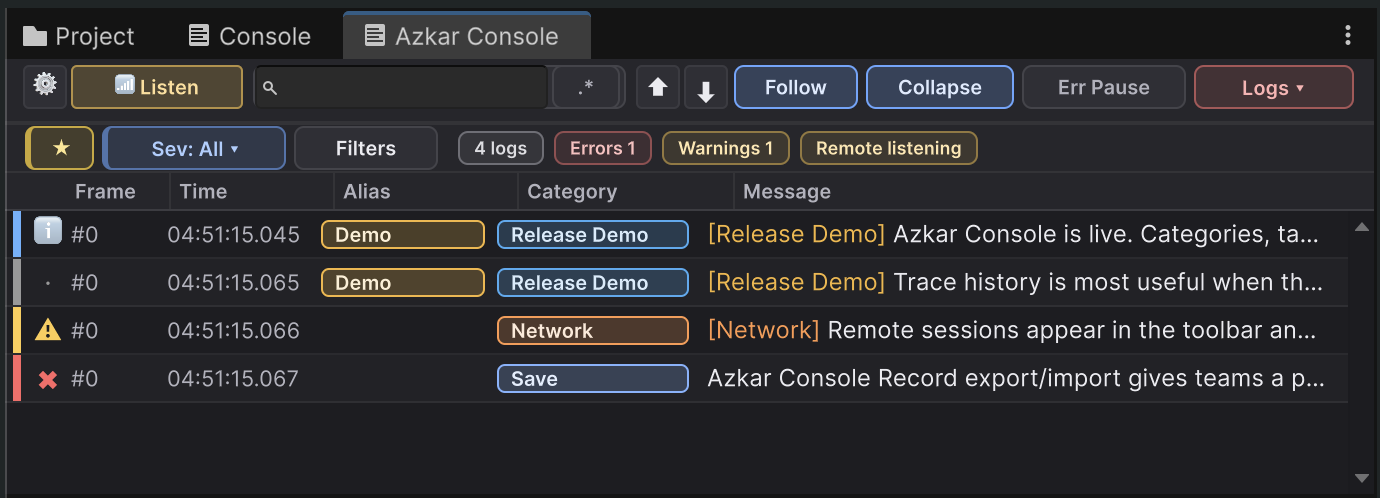
Azkar Console provides an editor console and the AzCon structured logging API for Unity. It captures Unity-originated logs through supported public threaded-event and compiler-diagnostic paths, and includes metadata filters, row highlights, bookmarks, session archives, remote logging for development builds, and an optional dockable inspection Workbench. It does not inspect or control Unity's private native Console rows.
Store channelUnity Asset Store
Editor targetUnity 6 (6000.0 or newer); Burst and Collections package versions are listed in the release Technical Details
Store statusComing soon
Important before purchase
Unity API compliance boundary.
Azkar Console uses documented public Unity APIs. It does not enumerate Unity's existing native Console history, recover private native-row context, select an exact native Console row, clear Unity's Console, or invoke hidden manual-IP PlayerConnection methods. These are Asset Store compliance boundaries, not paid-tier restrictions.
Read the complete limitation list and Unity guideline referencesSecurity and privacy
Treat logs and exports as sensitive data.
Messages, exceptions, stacks, source paths, metadata, bookmark notes, device details, archives, exports, and clipboard text can expose project or personal data. Do not log passwords, keys, tokens, credentials, private keys, health or financial data, or other secrets. Redact data before copy, export, commit, or support sharing. Customers remain responsible for consent, access, retention, and deletion.
Clearing visible rows unmounts imported databases from the current console, but it does not delete their source `.azrecdb` files, preferences, bookmarks, imported fonts, automatic logs, manual exports, or clipboard contents.
Remote trust boundary
Use trusted Development-Build devices and networks.
Remote logging uses Unity PlayerConnection. Azkar Console validates its frames and peer state but adds no independent application-layer authentication, confidentiality, or integrity guarantee. Treat remote labels and payloads as untrusted input. A pre-freeze scan of the current Azkar-owned source and locally built Azkar assemblies found no product telemetry or automatic Azkar Industries upload implementation. The final candidate must repeat that scan; this is not candidate-bound evidence. Unity services, customer-owned ILogSink integrations, and other project packages are outside that claim.
Finite saved-log storage
Automatic persistence has bounded defaults.
Text segments default to 32 MiB, database segments to 64 MiB, and both share a 128 MiB session budget. Editor and Play Mode folders default to 512 MiB and 256 MiB, inactive recognized files expire after 30 days, and writes preserve the greater of 256 MiB or 5% of the volume as free space. Low-space, quota, or disk-write faults pause the affected bounded sink, count drops, coalesce warnings, and retry slowly into a fresh segment.
Unity diagnostics
Log review and session data.
Azkar Console adds a separate editor window for reviewing live logs, structured metadata, source details, bookmarks, session archives, and development-build connections. Unity-log capture is configurable. For Unity-generated entries, Unity's Console remains available and is authoritative for context-object pinging.
Compatibility
Works on Unity 6.
Azkar Console works on Unity 6 (6000.0 or newer). The distributed build's Technical Details identify the exact Unity patch and Burst/Collections combinations qualified for that release. Explicit Unity object contexts attached through AzCon use a version-neutral typedLogContextId.
Requires Unity Burst and Collections packages. Because Azkar Console is delivered as a regular .unitypackage, install them through Unity Package Manager if they are not already present.